
2ndLine
Communication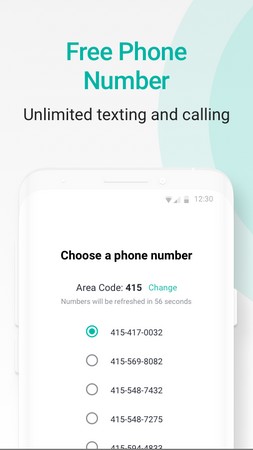
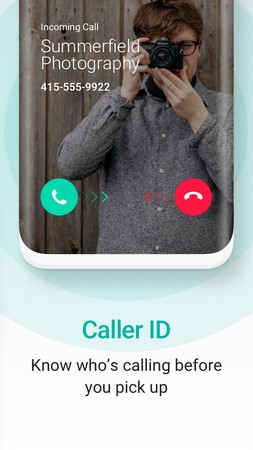
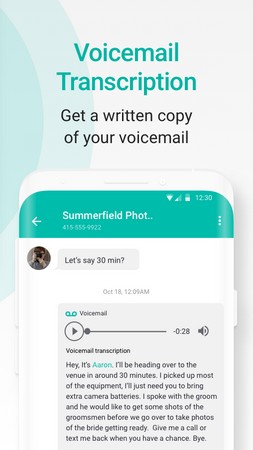
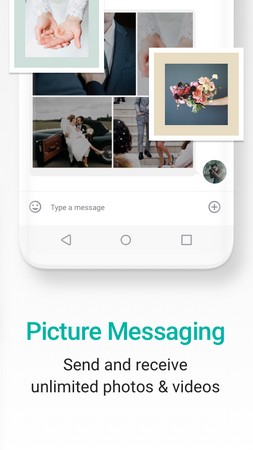
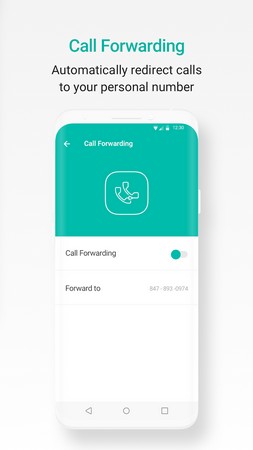

2ndLine is a communication app that lets you add a second phone number to your Android device without needing a separate SIM card. The extra line works for calls, SMS, and voicemail, keeping your personal number private while you stay reachable.
This page provides the latest APK details, a step‑by‑step installation guide, common troubleshooting tips, and answers to frequent questions about using 2ndLine safely.
Quick Information
| App/Game Name | 2ndLine |
| Latest Version | 26.20.0.8 |
| Developer | Not listed |
| Category | Apps / Communication |
| App Size | 156.48 MB |
| Package Name | com.enflick.android.tn2ndLine |
| Last Updated | 29 May 2026 |
What Is 2ndLine?
2ndLine creates a virtual phone line that operates over data or Wi‑Fi. You can make and receive calls, send and receive text messages, and manage voicemails all from the same device. The app is aimed at users who need a separate number for business, online marketplaces, or privacy‑focused communication.
Key features include:
- Dedicated second phone number (U.S. and Canada numbers are most common).
- Voice calls and SMS using the app’s interface.
- Voicemail inbox with transcription.
- Contact integration – you can import contacts from your primary phone.
Limitations: the service depends on an internet connection, and some features may be restricted in regions where the app’s number pool is unavailable. The app does not replace your carrier’s billing; it works as a data‑based service.
Compatibility
Compatibility
| Android Version | ✓ Verified — Android 7.0 and Above |
| Architecture (ARM64 / 32-bit) | ✓ Verified — Supports common device architectures |
| Internet Connection | ✓ Verified — May be required for ads, updates, or login |
| Storage Needed | Not Verified |
| OBB/Data Files | Not Verified |
| Root Required | Not Verified |
How to Install
- Enable installation from unknown sources: Settings → Security → “Install unknown apps” (or similar for your device).
- Download the 2ndLine APK file to your device.
- Open the downloaded file and tap “Install”.
- Once installed, launch the app and follow the on‑screen setup to claim your second number.
- If prompted, grant permissions for contacts, microphone, and phone to enable full functionality.
Troubleshooting
- App not installed error: Ensure the APK is fully downloaded and that your device allows installations from unknown sources. Clear any previous incomplete installations before retrying.
- Crashes on startup: Verify that your Android version meets the minimum requirement (usually Android 5.0+). Re‑install the APK after clearing the app cache.
- Cannot receive calls or messages: Check that you have a stable internet or Wi‑Fi connection and that the app has permission to access the microphone and SMS.
- Login or verification problems: Make sure you are using a valid email address and that any two‑factor authentication codes are entered correctly.
Safety & Security
2ndLine is an official, unmodified application. As with any APK, download it from a reputable source and verify the file’s integrity if a hash is provided. Review the permissions the app requests; it needs access to contacts, microphone, and phone functions to operate correctly. Avoid entering sensitive personal data (bank details, passwords) within the app unless you are sure the connection is secure.
Alternatives
- Google Voice – Free U.S. number with voicemail, texting, and call forwarding; tightly integrated with Google services.
- TextNow – Provides a free phone number for calls and SMS, supported by ads.
- Burner – Paid service that offers disposable numbers for short‑term use, popular for privacy‑focused users.
- Sideline – Business‑oriented second line with advanced call handling and team features.
Final Verdict
2ndLine is a practical solution for anyone needing a separate phone number without extra hardware. It works well on most modern Android devices, provided you have a reliable internet connection. Before installing, confirm that your device permits unknown sources and that you are comfortable with the required permissions. The app offers a solid balance of functionality and privacy, making it a strong choice for personal or professional use.
Frequently Asked Questions
The APK is an official build, but always download it from a trusted source and review the permissions it requests before installing.
The latest version available as of May 29, 2026 is 26.20.0.8.
2ndLine works on Android 5.0 (Lollipop) and newer, though newer versions provide a smoother experience.
No, 2ndLine is a single APK without additional OBB or data packages.
This can happen if unknown sources are disabled, the APK is corrupted, or a previous incomplete install is still present.
Since this is not a modded build, you can simply install the official APK; it will replace any existing installation.
Older versions may exist, but they are not listed here; using the latest version is recommended for security and feature updates.
No, the app operates over Wi‑Fi or mobile data and does not require a physical SIM.